

« Allowing shorter passwords in AutoIndex | Home | Simple timer script for command-line PHP »
Switching page orientation in OpenOffice.org
By admin | November 6, 2008
If you need to switch the page orientation (from portarit to landscape, or vise versa), here is how to do it (OpenOffice 2.x and plus):
- Start by opening your document in OpenOffice.
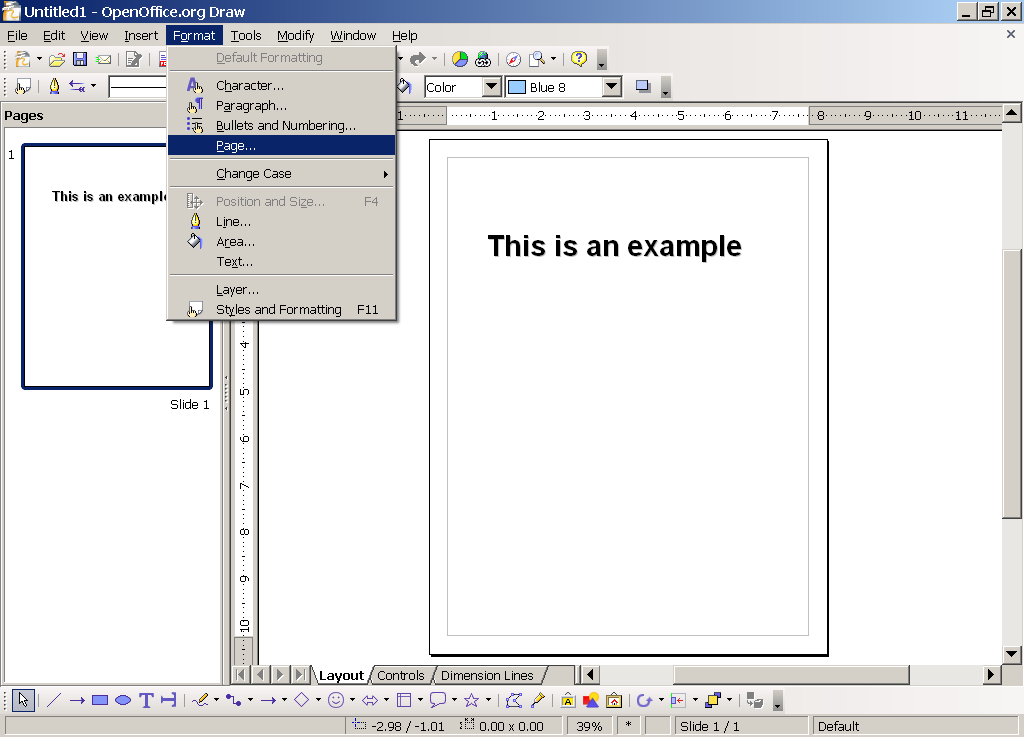 Open the “Format” menu and click “Page…“.
- Go to the “Page” tab and choose “Portrait” or “Landscape“.
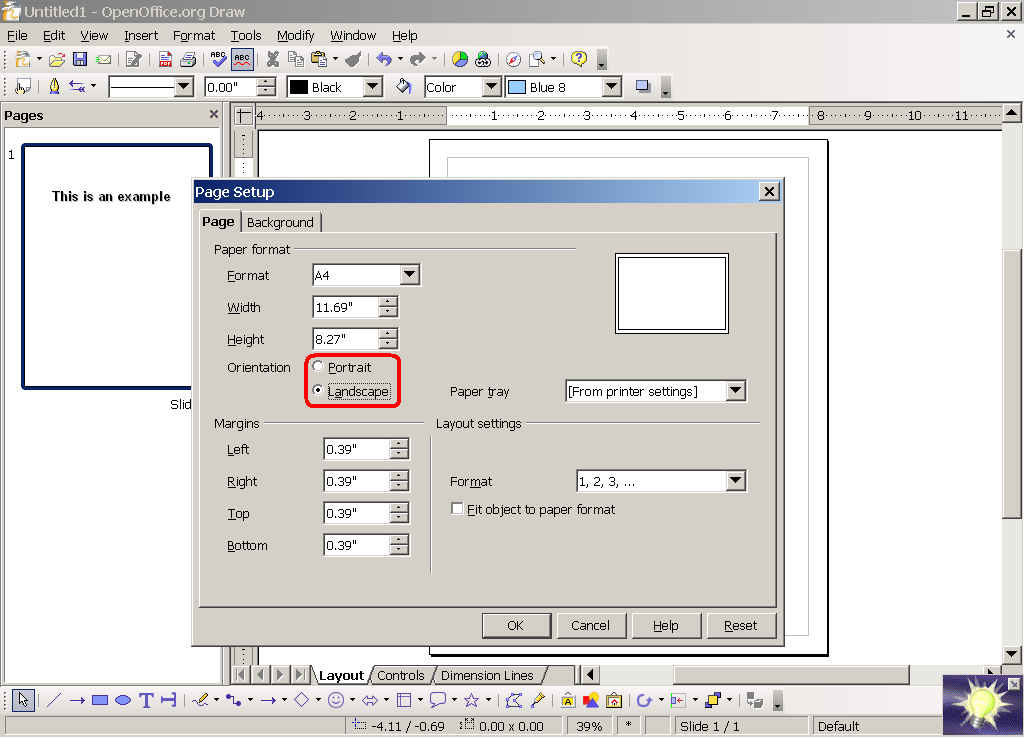 You’re done! Save the document if you wish.
If you found this article interesting or helpful, please help Compdigitec Labs by spreading the word. Don’t forget to subscribe to Compdigitec Labs for more interesting articles!
If you found this article helpful or interesting, please help Compdigitec spread the word. Don’t forget to subscribe to Compdigitec Labs for more useful and interesting articles!
Topics: Linux, Windows | 6 Comments »
July 1st, 2026 at 01:59
… [Trackback]
[…] Read More Information here on that Topic: compdigitec.com/labs/2008/11/06/switching-page-orientation-in-openoffice/ […]
July 4th, 2026 at 12:15
… [Trackback]
[…] Here you will find 39115 additional Info on that Topic: compdigitec.com/labs/2008/11/06/switching-page-orientation-in-openoffice/ […]
July 7th, 2026 at 22:43
… [Trackback]
[…] Find More on that Topic: compdigitec.com/labs/2008/11/06/switching-page-orientation-in-openoffice/ […]
July 10th, 2026 at 21:33
… [Trackback]
[…] Read More on that Topic: compdigitec.com/labs/2008/11/06/switching-page-orientation-in-openoffice/ […]
July 26th, 2026 at 19:05
… [Trackback]
[…] Read More on that Topic: compdigitec.com/labs/2008/11/06/switching-page-orientation-in-openoffice/ […]
September 10th, 2026 at 23:06
… [Trackback]
[…] Find More here on that Topic: compdigitec.com/labs/2008/11/06/switching-page-orientation-in-openoffice/ […]